

 Loading...

Play Geometrydash Lite online for free and dive into a world of rhythm and action! Guide your cube through tricky obstacles by jumping, flying, and flipping. The game syncs perfectly with upbeat music, making every move a dance. With simple one-touch controls, it's easy to start but tough to master. Each level is packed with unique challenges that test your reflexes and timing. This free version lets you explore the exciting gameplay before trying the full series. Are you ready for the adventure?
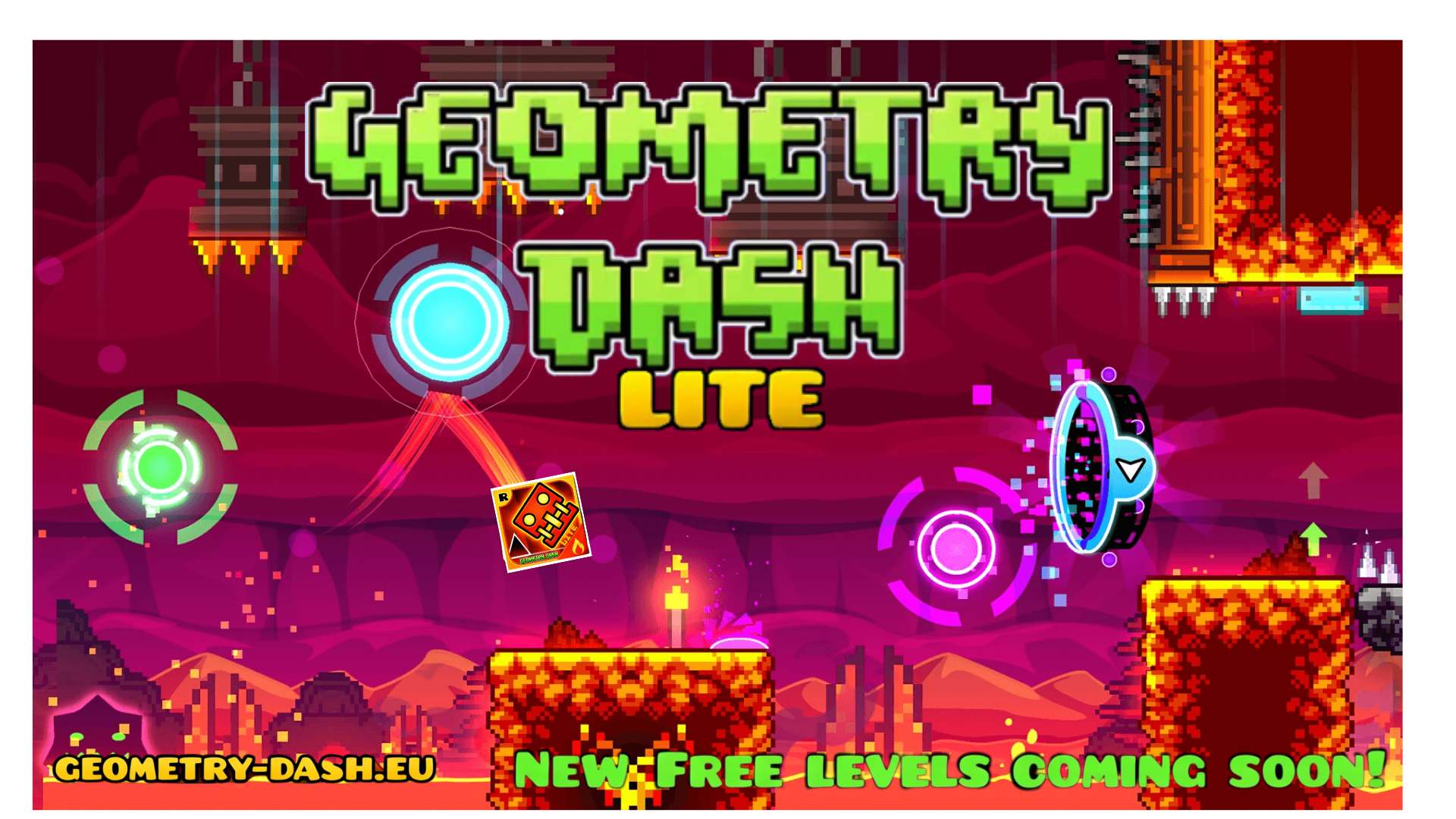
What Is Geometrydash Lite?
Geometry Dash Lite is a fun and exciting rhythm-based platformer game developed by Robert Topala, who works under the name RobTop Games. It was released in 2013 and is available for free on mobile devices. In this game, you control a cube that automatically moves forward through levels filled with tricky obstacles like spikes and gaps. Your mission is to jump and avoid these obstacles to complete each level.
The game features 13 official levels, each synchronized to high-energy music tracks that make the gameplay even more thrilling. The controls are simple: just tap the screen to jump, fly, or flip your way through the challenges. While the game is free, it does contain ads after some attempts.
This version of the game is perfect for new players who want to experience the exciting world of Geometry Dash without spending any money. It's a great way to test your reflexes and timing skills while having loads of fun!
Geometrydash Lite Gameplay Mechanics
In this exciting game, players control a geometric character that automatically moves forward through a series of challenging levels. Your mission is to jump, fly, and flip to avoid obstacles like sharp spikes, saw blades, and tricky gaps. The game is all about timing and precision, as even a single mistake sends you back to the start of the level.
The controls are simple: just tap the screen or click the mouse to jump. In ship mode, hold to rise and release to descend. Each level is synchronized with high-energy music that guides your jumps and movements, making it a thrilling rhythm-based experience.
Players can choose between Normal Mode, where you must complete the level in one try, and Practice Mode, which allows you to set checkpoints and practice difficult sections without starting over. As you progress through the levels, you'll encounter new mechanics like gravity flips and size changes that keep the gameplay fresh and challenging.
Customization options let you personalize your geometric character with different icons and colors. While the game is free to play, it includes ads that appear after a few attempts or when accessing menus.
Remember, patience and practice are key! You'll need quick reflexes and sharp timing to master each level's unique challenges. So get ready to jump into action and have fun navigating through this fast-paced adventure!
Play Geometrydash Lite on Any Device
You can play this game directly in your web browser on desktop, laptop, tablet, or mobile.
How to Play Geometrydash Lite: A Beginner's Guide
Welcome to the exciting world of jumping, flying, and flipping through colorful levels! Here’s how you can start playing and having fun:
- Start the Game: Open the app and select a level to begin your adventure. Each level is a new challenge with its own music and obstacles.
- Jump and Fly: Tap the screen to jump over spikes and gaps. When you reach special areas, you might need to fly rockets or flip gravity!
- Avoid Obstacles: Watch out for spikes, saw blades, and other tricky traps. If you hit any, you’ll have to start the level over.
- Practice Mode: Use Practice Mode to place checkpoints. This way, if you make a mistake, you won't have to start from the very beginning.
- Stay in Rhythm: Each level has its own catchy music. Try to time your jumps and moves with the beat for better results.
- Keep Trying: Don’t worry if you don’t succeed right away. Keep practicing, and you'll get better with each try!
Remember, every level is a chance to improve your skills and have fun. Enjoy the adventure!
Mastering Geometrydash Lite Controls
In this fast-paced rhythm platformer, mastering the controls is essential for navigating through the vibrant, obstacle-filled levels. The control system is elegantly simple yet requires precision and timing to excel.
- Basic Controls:
- On PC: Use the left mouse button or press the up arrow key to jump.
- On mobile: Tap the screen to jump.
- For ship mode: Hold to rise, release to descend.
- Advanced Tips:
- Timing is crucial. Click or tap slightly earlier than you think, especially in fast-paced levels.
- In Practice Mode, use checkpoints to master difficult sections without restarting from the beginning.
- Focus ahead to anticipate upcoming obstacles and react quickly.
Pro Tips to Master Geometrydash Lite
Get ready to jump, fly, and flip your way through challenging levels with these expert tips designed to help you conquer the game.
- Use Practice Mode: This mode lets you place checkpoints, making it easier to learn tricky sections without restarting. Master each part before attempting a full run.
- Focus Ahead: Keep your eyes on the path ahead rather than just your character. Spot upcoming obstacles early to react quickly and avoid them.
- Precise Jumping: Timing is key! Tap or click slightly earlier than you think necessary, especially in faster levels. Avoid mashing the screen or keyboard.
- Take Breaks: If you're feeling stuck or frustrated, step away for a bit. A short break can refresh your mind and improve your performance when you return.
- Warm Up with Easier Levels: Start your play session with simpler levels to sync your reflexes with the rhythm of the game before tackling harder challenges.
- Set Micro-Goals: Aim for small achievements like reaching new percentage milestones or mastering coin routes. Each success builds momentum and keeps motivation high.
- Engage with the Community: Watch replays from top players to learn from their strategies and share your gameplay clips for feedback. Teaching others can also solidify your own skills.
Key Features That Make Geometrydash Lite Special
This game offers a thrilling experience with its unique features that make it enjoyable and engaging for players of all ages.
- Rhythm-Based Action Platforming
- Each level is synchronized with exciting electronic music, making every jump and flip feel like part of a musical adventure.
- Simple One-Button Controls
- Easy to learn controls where you just tap to jump, fly, or flip through the levels.
- Challenging Levels
- Includes 15 levels, each designed with unique obstacles and increasing difficulty to test your reflexes and timing.
- Practice Mode
- Allows you to set checkpoints and practice difficult sections without starting over, helping you master tricky parts of the levels.
- Colorful Neon Graphics
- Features bright neon colors and geometric shapes that create a visually appealing and dynamic gaming environment.
- Character Customization
- Select from a variety of icons and colors to personalize your geometric character.
- Ad-Supported Free Play
- The game is free to play with ads, providing an accessible way for everyone to enjoy the action-packed gameplay.
- Fast-Paced Challenges
- The game pushes your reflexes with its quick-paced levels filled with spikes, saws, and other hazards.
- Pulsating Soundtrack
- A high-energy soundtrack accompanies each level, adding excitement and motivation as you play.
- Great Introduction to the Full Game Experience
- An ideal starting point for new players to get a taste of the full game's mechanics and challenges.
Play Geometrydash Lite Online for Free
Experience the excitement of this rhythm-based platformer directly in your web browser with the browser-adapted version. This online adaptation allows you to enjoy the same thrilling gameplay without needing to download or install anything. Compatible with popular browsers such as Chrome, Firefox, Safari, and Edge, you can jump into action no matter your preferred platform. The online version retains the core features of the game, including its challenging levels and vibrant graphics, while offering the convenience of playing from any location with an internet connection. Take advantage of practice mode to hone your skills and prepare for the increasingly difficult levels, all while enjoying the pulsating electronic soundtrack that synchronizes perfectly with your every move.
Is Geometrydash Lite Free to Play?
Yes, it is free to play online without any fees or in-app purchases. All games on the site are available at no cost, making it accessible for everyone to enjoy. The benefits of free play include experiencing the addictive rhythm-based gameplay and tight controls without financial commitment. Players can dive into the action-packed levels and sharpen their skills in Practice Mode. However, be aware that the free version is ad-supported, which helps keep the game accessible to all players without requiring purchases.
Play Geometrydash Lite Unblocked
Q: Can I play the game unblocked?
A: Yes, play Geometrydash Lite Unblocked on geometry-dash.eu. Whether you're at school, at work, or on a break—you can play without any restrictions.
Q: What are the benefits of playing the unblocked version?
A: The unblocked version allows you to enjoy the game without network or location restrictions. You can access it from anywhere and focus on improving your skills without interruptions.
Geometrydash Lite on GitHub
No need to search on GitHub, our version works on all devices at school or work. Visit this link to play directly in your web browser. This version allows you to enjoy the game without any network or location restrictions, making it perfect for playing at school or work.
Download Geometrydash Lite (PC, iOS, Android)
Many fans enjoy downloading it for an even smoother experience. Here’s how:
- Android: Open the Google Play Store and tap Install.
- iOS: Open the App Store on your iPhone or iPad and tap Get.
- Geometrydash Lite APK: Android users who can’t use Google Play can find and download the APK from trusted sites to install offline.
- PC Steam: If you like playing on a computer, download the game for free via Steam and enjoy a bigger screen and controller support.
Geometrydash Lite Extension
The Chrome extension offers a seamless way to experience the game directly from your browser. With this extension, players can enjoy instant play without the need for downloads or installations. This convenience means that you can jump into the action quickly, making it perfect for short breaks or when you're on the go. Additionally, the extension may offer offline modes, allowing you to play even without an internet connection. This feature ensures that you can practice and improve your skills anytime, anywhere. Explore the vibrant levels and challenging gameplay with ease using the Chrome extension.
Similar games to Geometrydash Lite
If you enjoy the fast-paced action and rhythm-based challenges of Geometrydash Lite, you might want to explore these similar games:
FAQs about Geometrydash Lite
What is Geometry Dash Lite?
It's a free rhythm-based platformer where you control a cube through tricky obstacle courses by tapping to jump.
Who created the game?
The game was developed by Robert Topala, a Swedish developer, under the name RobTop Games.
How many levels are there?
The game features 13 official levels, each with unique challenges and music tracks.
What's the difference between Lite and the full version?
The full version has more levels, customization options, and a level editor, while Lite is free with ads and limited content.
Can I customize my character?
Yes, you can choose from a simplified selection of icons and colors to personalize your character.
What are the controls like?
The game uses one-button controls: tap to jump or fly over obstacles. It's simple but requires precise timing.
What happens if I hit an obstacle?
If you hit anything like spikes or saw blades in Normal Mode, you'll restart from the beginning.
Is there a way to practice difficult parts?
Yes, Practice Mode lets you place checkpoints to master tricky sections without starting over each time.
Why are there ads in the game?
The game is free to play, so ads help support its development. They appear after attempts or when accessing menus.
Is the music important in the game?
Absolutely! Each level has a high-energy soundtrack that syncs with the gameplay, making it more exciting.
Can I save my progress across devices?
No, progress is stored locally, so it can't be synced across different devices in this version.
Conclusion
Geometry Dash Lite is a thrilling adventure that combines rhythm, reflexes, and fun into one exciting package. Each level is a new challenge, offering a chance to sharpen your skills and enjoy the vibrant neon graphics and catchy electronic music. Kids will love the fast-paced action and the sense of accomplishment that comes with mastering each course.
If you're looking for a game that's both challenging and entertaining, Geometry Dash Lite is a perfect choice. Jump in, test your reflexes, and see how far you can go! Don't forget to share the fun with your friends and see who can conquer the most levels. Ready to dash through danger? Play now on our site and start your rhythmic journey!